At a glance
- The problem: Fragmented tools waste time, increase the chance of manual errors and can leave reviews unattended.
- Now in Minerva: Work Queues and case management bring customer reviews, assignments, discussions and decisions into one place.
- What you get: Clear ownership, retained context and fewer manual handoffs.
Your team's review process can span screening tools, spreadsheets and Slack threads, held together by manual updates and custom scripts. Every manual handoff takes time away from reviewing customers. When an assignment isn't recorded or an escalation gets lost between tools, a risk can go unreviewed.
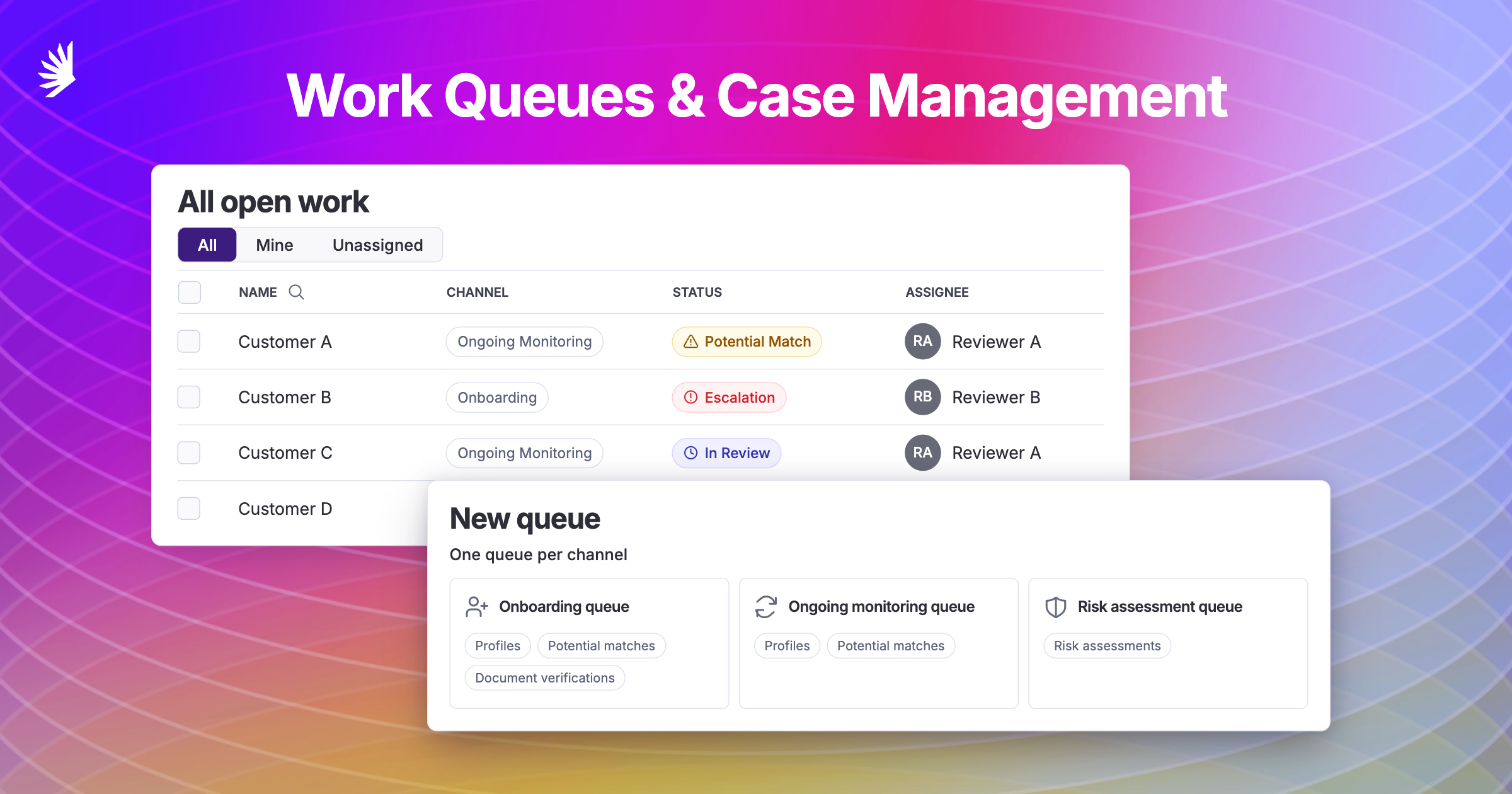
Minerva's new case management features bring the work, the conversation and the customer record into one place. Work Queues gives teams shared views of their reviews, while My Work shows each analyst what they need to handle.
One Minerva customer had built an automation that sent escalated profiles to Slack. The team discussed the review there, then returned to Minerva to record the decision. Keeping the discussion with the customer record saves that extra trip and helps prevent context and evidence from getting lost between tools.
Choose how work reaches your team
Admins can start with a template or build a queue using the profiles, potential matches, risk assessments and document verifications available to your team. Filter by channel, assignee and status, including completed reviews. Use Manual for analyst pickup or manager assignment, or turn on Round robin:
- Analyst pickup: Analysts can take available work themselves, choosing reviews that need their experience or knowledge.
- Manager assignment: Managers can bulk-assign available work to analysts, deciding which reviews to hand out and when. Useful for working through an existing backlog in manageable batches.
- Round robin: Share new, unassigned items across available members of your chosen assignment pool, so managers don't have to assign each item individually.
Keep the conversation and the decision together
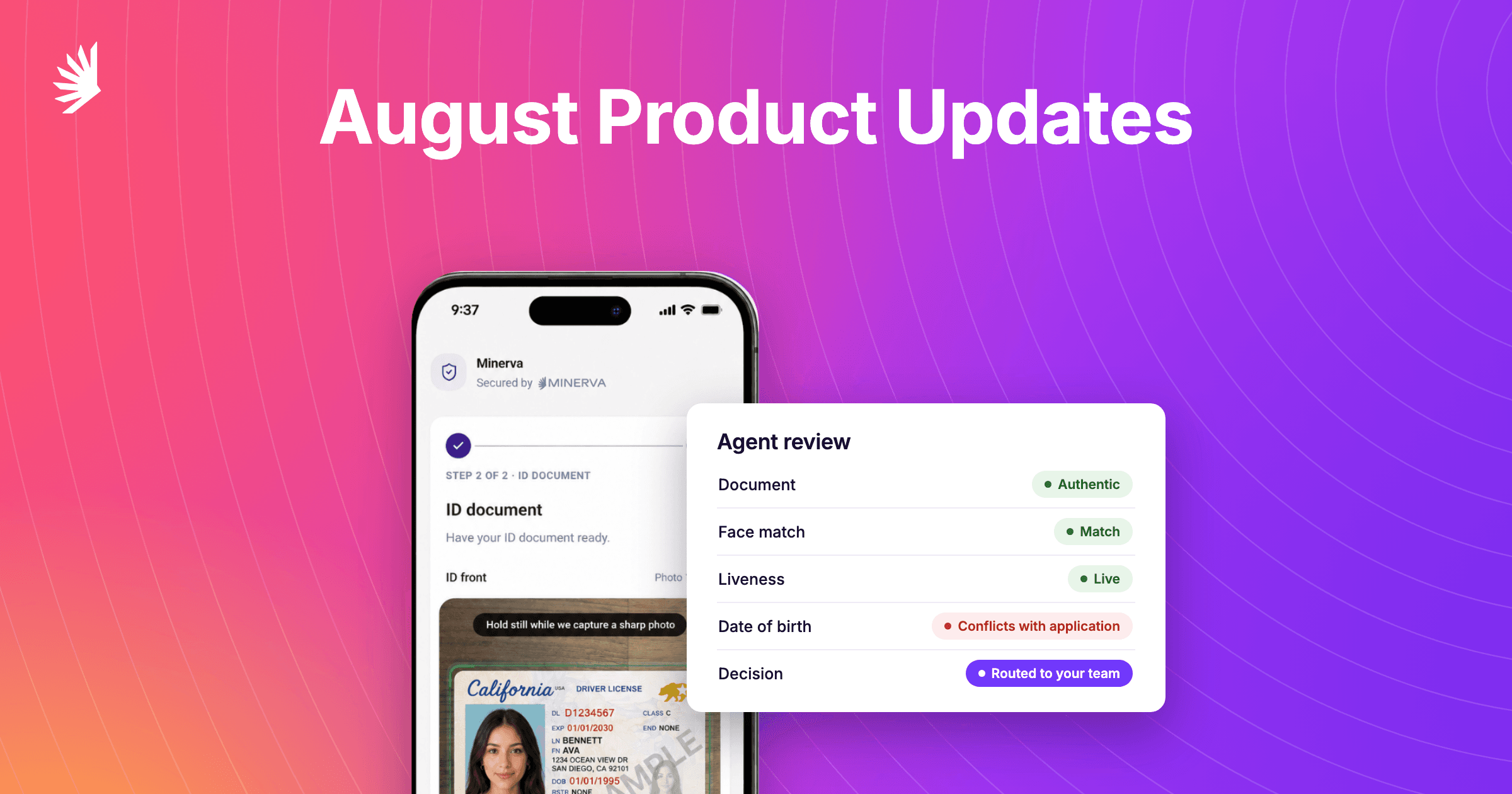
An analyst can resolve a match and escalate the customer profile with the reason attached. Assign a manager and they receive a notification, so the review can continue with the context already there. The manager can then accept or reject the customer according to your team's policies.
Discuss findings in the profile's comments and tag teammates to notify them when their input is needed. You shouldn't need spreadsheets, Slack threads or smoke signals to piece that conversation together.
Decisions, comments and activity history stay with the profile. When it's time for an audit, you can review what was decided and the recorded context without tracking down an old conversation.
With webhooks configured, Minerva sends the customer decision as an automatic status message to your system. Your system can then apply its account-opening or restriction rules automatically. That automates the handoff from review to the next onboarding step, reducing manual work and avoidable waits for approved customers.
See who owns the work and where it needs attention
Managers can see assignees, unassigned items and escalated profiles in their team's queues. They can follow up with the right person or assign someone when work needs attention.
My Work brings each analyst's assigned open reviews together across queues, with overlapping items counted once. Analysts can start reviewing instead of checking several lists to work out what belongs to them.
As your team adds review types, ownership and discussion stay alongside the work.
Get started
Want to bring your team's reviews into one place? Book a walkthrough or email support@gominerva.com.

Download this Resource
Stay a step ahead with insights and updates from Minerva
Explore more

All-In-One, AI-Enhanced Risk Screening
We put the world's data to work on a comprehensive compliance platform.
Discover more efficient, effective investigations.