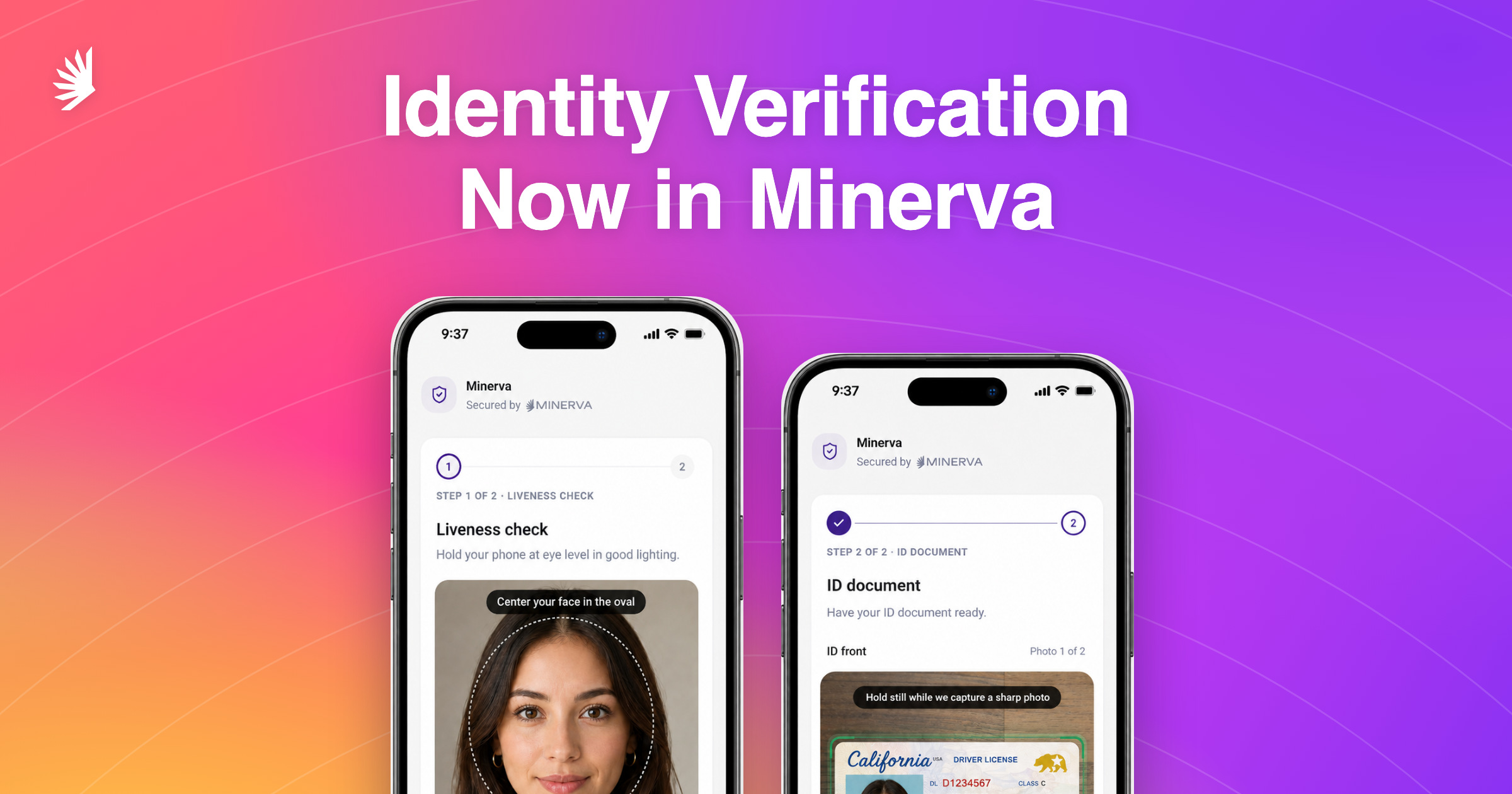
Onboarding a new customer is two jobs: verify their ID, and screen them for risk. The tools for those jobs usually come from different vendors, so results move between systems by hand, and the same customer ends up with records in more than one place.
Minerva screens customers for sanctions risk, politically exposed person (PEP) status, and adverse media. Now it runs identity verification too: the document, the live person, and the match between them, verified on the record you already screen.
Unlike a lot of identity verification tools, the check runs inside Minerva's full screening flow. Customers finish in about 20 seconds, you can add your own ID types instead of waiting on a vendor, and there are no separate tools to stitch together.
How a check runs
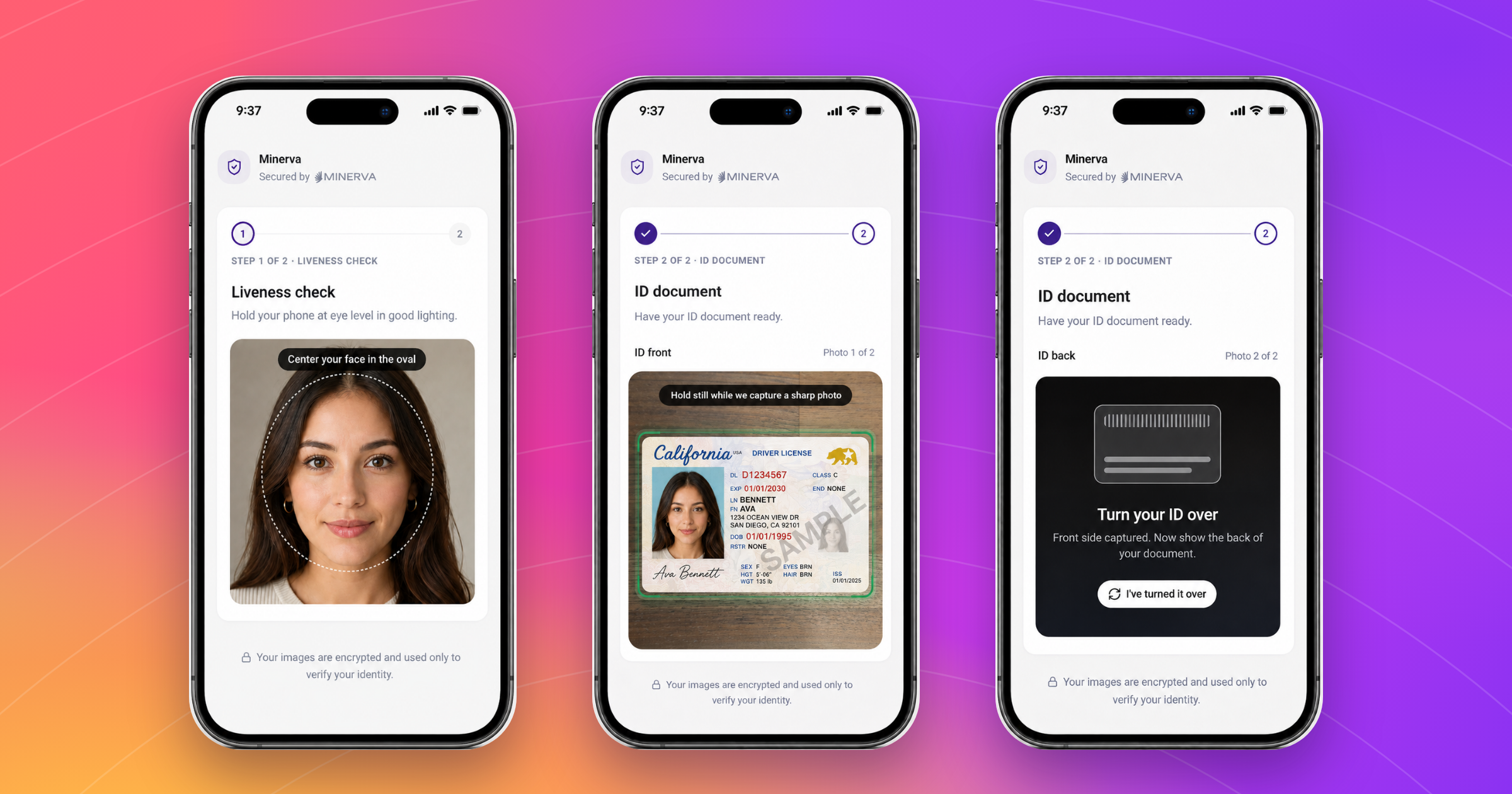
- Capture the ID. The customer opens a link on their phone, nothing to install. On-screen prompts (hold still, move into the light) catch glare and blur as the photo is taken, since a capture too poor to read would bounce back for a retake or land on a reviewer. Liveness checks (a real person on camera, not a photo of one) run at the same time. About 15 to 20 seconds.
- Validate what was captured. AI agents then review the session in under 30 seconds: document authenticity, the face match, and agreement with the customer's record. Aging or a nickname shouldn't flag a session on its own, but a different date of birth always will.
- Review only what gets flagged. Checks come back as a pass, a fail, or a referral, typically within a minute. You choose which of the agents' flags route to your team. A face mismatch, a spoof, or a tampered document never auto-passes.
- Follow up in the same session. Questionnaires and document uploads run inside the flow, so asking for more doesn't mean a second tool or an email thread.
And everything is recorded. Outcome, rationale, and review history land on the customer record, next to the screening. Captured images stay hidden until a reviewer opens them, and every view is logged. Webhooks report each outcome, and your system decides when the account opens.
Add your own ID types
Passports, driver's licenses, health cards, national IDs, and permanent resident cards are built in. When onboarding needs a document the list doesn't cover (a student card, a firearms license, a club card), you define the type yourself instead of waiting for a vendor to add it. Describe the document and what the review should check, and the agents validate it with the same anti-fraud review as everything else: tampering, screen recapture (a photo of a screen), image quality.
One place for identity verification, screening, and the record
The identity verification, the sanctions and PEP screening, and the know-your-customer (KYC) questionnaires land on one customer record. When a question comes back, there's one place to look.
Standalone identity verification tools stop at the document. The screening half of onboarding starts over in another system, with a second copy of the customer to keep in sync. Minerva fixes that.
Get started
Curious what a check looks like on your own document types? Book a walkthrough or email support@gominerva.com.

Download this Resource
Stay a step ahead with insights and updates from Minerva
Explore more

All-In-One, AI-Enhanced Risk Screening
We put the world's data to work on a comprehensive compliance platform.
Discover more efficient, effective investigations.