When an escalation gets lost between tools, a risk can go unreviewed. Minerva's new case management features keep assignments, discussions and decisions with the customer record.
This update also covers expanded adverse media coverage, new screening analytics, and improvements to risk assessments and customer profiles.
Key Updates
1. Case Management
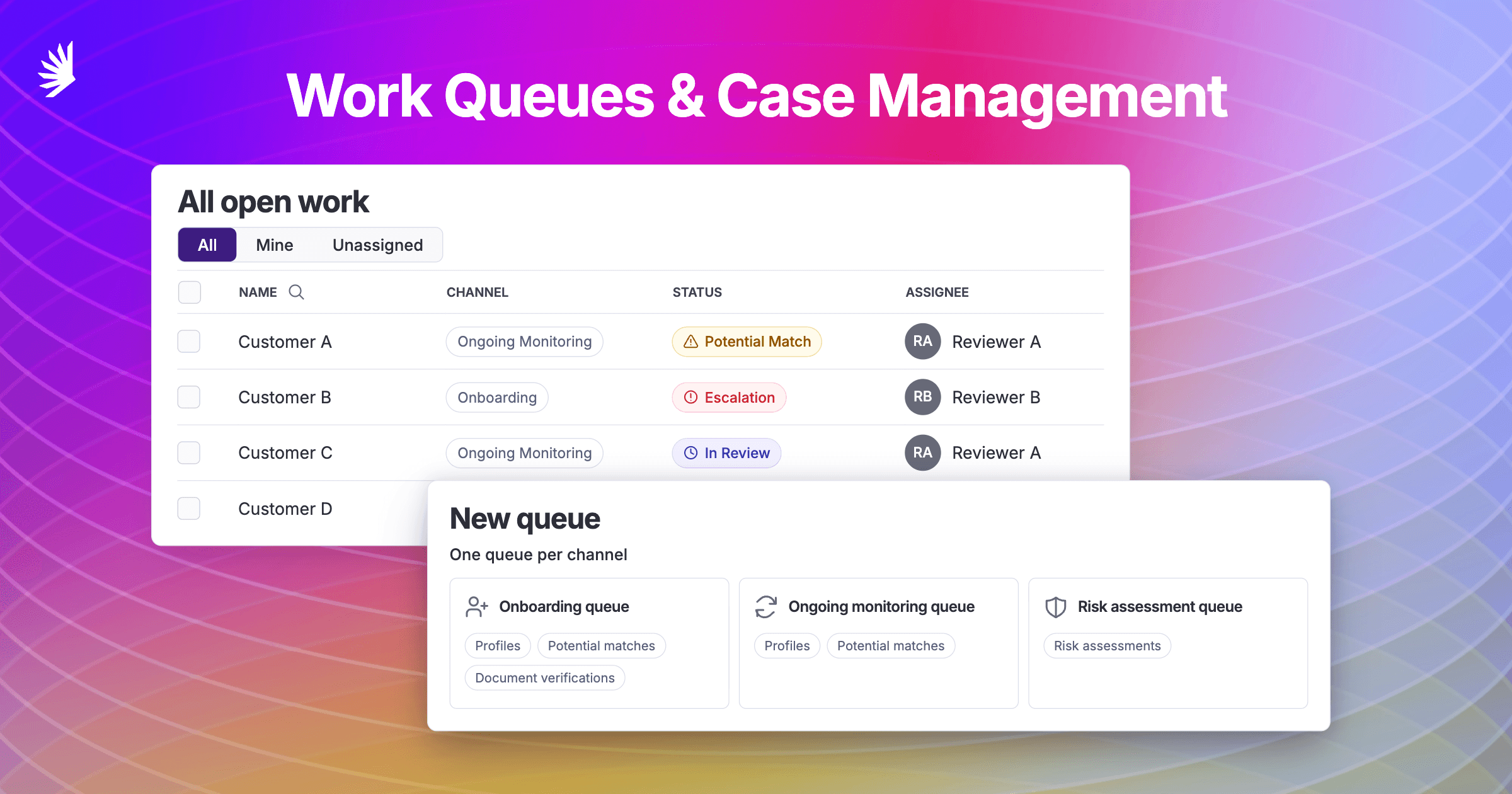
Case Management brings your team's reviews and their recorded context together. Work Queues provide shared views of profiles, potential matches, risk assessments, and document verifications, based on the products available to your team. Analysts start in My Work to see their assigned open reviews. Managers can assign work manually or use round robin to distribute new, unassigned items across available members of a chosen pool.
Escalate a profile to a manager with the reason attached. Comments, teammate mentions and notifications keep the discussion with the customer record. Decisions and activity history stay with the profile, so your team can review the recorded context during an audit. Explore Case Management.
2. Adverse Media: a new index and agentic search
Minerva's in-house adverse media database adds news coverage to screening. The index identifies names and classifies articles for risk before you search, helping surface relevant reporting.
Optional Agentic Adverse Media goes further by building search queries around the subject and reviewing the results. Relevant articles appear in the existing screening experience in the app or through an integration. Once Minerva enables access, your admin can turn it on in the media settings under Match Scoring.
3. Enhanced Analytics + richer exports
The new analytics dashboards let admins choose the metrics their teams see. Managers can track review times, compare agent and human alert decisions, and see configuration changes alongside changes in hit rates.
When Agent Disposition is running in hint mode, you can compare its recommendations with your team's decisions before deciding whether to enable automatic decisions. Bulk exports now include agent decision and assignee information, making it easier to review those results outside the app. Explore exports.
4. Agent Risk Assessments: improved research and reports
Agent Risk Assessments have improved research into the people and companies connected to a subject. Updated assessment views and PDF reports put risks and review checklists up front, with more detail available when you need it.
Existing users already have these improvements. Your team reviews the findings and supporting evidence before concluding the assessment. See the assessment guide.
5. Profile Custom Fields
Loan numbers, links, and internal references can now sit alongside screening information. Admins define custom fields once, and your team can use them on profiles, through batch uploads, or through integrations. That saves a trip to another system when you need a customer reference. Set up custom fields.
Also worth reading: our guide to politically exposed person (PEP) screening in Canada.
Want to get started with Case Management, the new analytics dashboards, or Agentic Adverse Media? Email support@gominerva.com. The team can also help you get started with Agent Risk Assessments through the beta.

Download this Resource
Stay a step ahead with insights and updates from Minerva
Explore more
All-In-One, AI-Enhanced Risk Screening
We put the world's data to work on a comprehensive compliance platform.
Discover more efficient, effective investigations.